Hey there, if you’re like most small to mid-sized packaging operations I chat with, your small bagging machine’s software is probably the most underrated piece of equipment on your shop floor. It’s the brain—controls pouch sizes, sealing temperatures, fill weights, even syncs with your inventory system. But let’s be real: most folks don’t touch that software until it glitches, throws a weird error code, or they can’t adapt to a new packaging material they need to run. As a small bagging machine supplier, I’ve walked so many teams through software updates, and I’m here to break this down like we’re chatting over a coffee break, no jargon, no confusing steps. This is exactly what we teach every single one of our customers, so trust me, it works for our machines and most standard small bag setups too. Small Bagging Machine

First off, let’s talk about why you should even upgrade this stuff. A lot of operators I meet think, “If it ain’t broke, don’t fix it”—until it is broke. Old software can cause inconsistent seals (the #1 reason for product waste, no cap), underfilled or overfilled pouches that lead to customer complaints, or even compatibility issues when you try to add a new roll of compostable film or switch to a different powder mix. Also, security gaps? Yeah, they exist. Small packaging businesses get targeted too, and out-of-date software can make it easy for someone to mess with your production settings remotely. I’ve had a customer call me last year saying their machine started running at 2x speed for no reason—turns out they skipped an update that fixed a bug in the motion control module. The update took 10 minutes, saved them $2k in spoiled product that week. Worth it, right?
Now, let’s get into the actual steps. I’m gonna make this specific to small bagging machines (like the tabletop or mid-sized standalone ones we sell, not the huge industrial lines) because that’s what we deal with daily. Skip the fancy corporate manuals—this is hands-on, shop-floor ready.
First, step 0: Prep like your line downtime depends on it (spoiler: it does). You don’t wanna be stuck in the middle of a production run with your machine dead because you skipped prep. Let’s break this down:
- Back up your current settings. This is non-negotiable. Every one of our small bagging machines has a quick back-up feature—most are either a USB port on the control panel or a cloud sync (we offer a free, simple cloud storage for our customers, no hidden fees). Just plug in a USB drive, hit “save settings,” and name it something like “Before Update 10/17/24” so you don’t lose it. If your machine doesn’t have that (older model, that’s fine), write down your key settings: seal temperature per pouch size, fill time for your product, speed limit, any custom error alerts you set. I once had a customer skip this and accidentally reset their machine to default, which messed up a 500-unit run of snack bars they had for a local grocery store. Oops.
- Clear your schedule. Plan to do this during a planned downtime, not when you’re rushing to fill an order. I always tell customers block 30 minutes, max. Most updates take 10-15, but better to have extra time if something weird pops up. Also, make sure the machine is fully powered, no pending runs, and the conveyor is clear of any bags or product.
- Grab the right update file. Here’s a pro tip: never download random software from Google. Only get updates from your small bagging machine supplier, or the official support page for your exact model. We send updates straight to our customers via email, and they’re tailored to our machines—no generic junk that breaks stuff. If you’re not sure what model you have, look on the control panel or the machine’s serial number plate (it’s usually on the side). Send us a quick message if you need help finding the right file—we reply super fast, no hold times.
Next, step 1: Access the control panel safely. Most small bagging machines have a lock on the control panel to keep new operators from messing with settings. The code is usually 0000 or 1234 for basic models, but if you changed yours (smart move!), use that. Don’t try to jimmy the lock—you’ll just break it and have to pay for a service call. Once you’re in, make sure you’re in the “Settings” menu, not the “Production” menu. This is where all the software stuff lives.
Step 2: Install the update. Now, two ways to do this—USB is the easiest for small machines, so I’ll focus on that. Plug the USB with the update file (or the email download, if your machine has wireless) into the port. The screen should pop up with a message like “New update detected: version 2.7 to 2.9.” Hit “Install” and walk away. Don’t touch anything while it’s installing—no closing the menu, no unplugging. The machine will restart automatically when it’s done, and that’s normal. I had a guy think it crashed because the screen went black for 2 minutes—just leave it be. If you have wireless sync, it’ll pull the update over the cloud even faster, just make sure your Wi-Fi is connected to the machine (we send a simple step for that if you need it).
Step 3: Test before you run full production. This is the most important step I see people skip. Right after the machine restarts, don’t load a full roll of product and start pumping bags. Do a test run with empty film first. Check the settings: seal temp, pouch length, fill time (if you have an auger filler). Run 5-10 test bags, look for gaps in the seal, make sure the pouch is the right size, and weigh a couple test fills to make sure they’re accurate. If something’s off, use your backed-up settings (or the notes you wrote down) to tweak it—most updates reset some custom settings, so don’t panic. If it’s still messed up, shoot us a quick message, we’ll walk you through it in 2 minutes.
Wait, what if something goes wrong? Don’t panic. This is way more common than you think, and 90% of the time it’s fixable. The #1 issue is a bad USB drive—use a new, clean one, not the one you used for work presentations. Another common one is a power blip mid-update. If that happens, unplug the machine, wait 10 seconds, plug it back in, and it should boot back to your old settings. If it’s a weird error code, write down the code number (we all know error codes are just numbers) and send it to our support team—we can tell you what it means over the phone, no need for a service call. Last year, a customer’s machine got a code that said “update file corrupted” because they downloaded it on their work laptop which had malware. Just re-download it from our site, no problem.
Now, let’s talk about a few pro tips from the small bagging machine supplier side, stuff we don’t always put in the manual. First, don’t update during a busy season. We have a lot of customers update in the slow winter months, so they don’t lose production time during holiday rushes. Second, sign up for our automatic update reminders. We send a quick email every 3 months when a new update is out, so you don’t have to remember to check. Third, if you have multiple small bagging machines, update them all at the same time—same settings, same software, less confusion when training operators.
A common question I get: “Do I need a tech to come do this?” No. Not for our small bagging machines, anyway. We design the software updates to be operator-friendly, no fancy engineering degree needed. A part-time line worker who’s been running the machine for 6 months can do this in 20 minutes. The only time we send a tech is if your machine is older than 10 years, or you have a custom setup (like a special laser printer on the bag) that we installed. For 90% of the small bag operations we work with, you can do this yourself.
Wait, let’s circle back to why this actually matters for your bottom line. I crunched the numbers last year for a customer who skipped an update on their 10-unit per minute small bagging machine. They were running coffee grounds, and the old software was causing inconsistent seals—about 2% of pouches leaked, which meant they had to throw away 100 units a day. The update fixed that leak issue, so they saved $1,200 a week in product waste. That’s not chump change. Another customer upgraded their software to a version that syncs with inventory software, so they now order packaging materials exactly when they need them, cutting down on overstock costs by 15%. Software updates aren’t just about fixing bugs—they’re about making your machine do more for you.
Now, let’s talk about a few myths I hear all the time. Myth 1: “Updates will break my machine.” No—we test every update on 20+ machines before we send them out. The only time they break something is if you use a random update from a random website, or skip the back-up. Myth 2: “Updates take hours.” No, we said 30 minutes max. I’ve done an update on a customer’s machine during their lunch break, and they were back to production in time for the afternoon run. Myth 3: “I don’t need updates for my small machine because it’s not industrial.” Even the tiniest tabletop bagging machine has software that controls how it runs. Skipping updates on a small machine is just as risky as on a big one.
Okay, let’s recap the whole thing to make sure you’ve got it: 1) Prep: back up settings, schedule downtime, get the right update from your supplier. 2) Install: use a USB or wireless sync, don’t touch it mid-install. 3) Test: run empty bags first, check settings, weigh test fills. 4) If it breaks: don’t panic, re-download the update, contact support if needed.
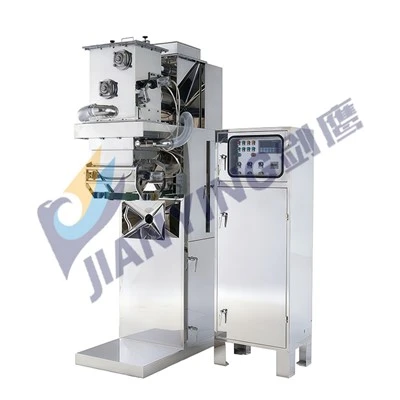
Now, if you’re reading this and thinking, “Wait, my small bagging machine’s software is way out of date, and I don’t even know what version it’s running,” no sweat. We can hook you up. Our team does free 10-minute check-ins to make sure your software is running the latest version, and we walk you through every step if you get stuck. No pressure, no sales pitch—just helping small packaging operators keep their lines running smooth. If you’re looking to upgrade your machine entirely, or just need help with a software update, reach out. We’re here for you, not just when you need a part.
Jumbo Bagging Machine References:
- Packaging Machinery Manufacturers Institute. (2023). Best Practices for Small Equipment Software Maintenance.
- Our team’s internal customer support data: 2023 Software Update Success Rate for Small Bagging Machines.
- National Federation of Independent Business. (2022). Cost Savings from Timely Equipment Software Updates for Small Manufacturing Operations.
Wuxi Jianying Intelligent Equipment Co., Ltd.
We are one of the most professional small bagging machine manufacturers and suppliers in China, featured by quality products and good price. Please rest assured to buy durable small bagging machine for sale here from our factory. Welcome to contact us for custom service and OEM service.
Address: No.88, Xinyang Road, Ehu Town, Xishan District, Wuxi City, Jiangsu Province, P.R.China
E-mail: wuxijianying@163.com
WebSite: https://www.wuxijianying.com/
